Property operations
without the spreadsheet.

A multi-site property platform for portfolios that have outgrown spreadsheets but don’t need a six-figure FM system. Tenancies, inspections, repairs and compliance cycles in one place. Role-aware and audit-trailed throughout.

UK
Built & supported
8
Compliance cycles tracked
UK
Hosted & supported
Years we'll keep running it
Why property

The middle ground.

Most property software is built for one of two extremes: Rightmove-style listings at one end, six-figure facilities suites for FTSE estates at the other. Very little fits the housing association, the diocesan portfolio, the charity with 80 buildings or the multi-academy trust.

Tenancy & lifecycle.

An end-to-end record from advert through allocation, agreement, rent, reviews and exit. Automatic renewal reminders, with statement export to your finance system.

Compliance, scheduled.

Gas, electrical, asbestos, fire, legionella and EPC each run on their own cycle. Each one escalates when it starts to slip, and shows up on the dashboard a week before it bites.

Repairs & jobs.

A tenant raises a job by portal, email or phone. It gets triaged, assigned to a contractor, photographed and signed off, with SLA reporting included.

Occupant self-service.

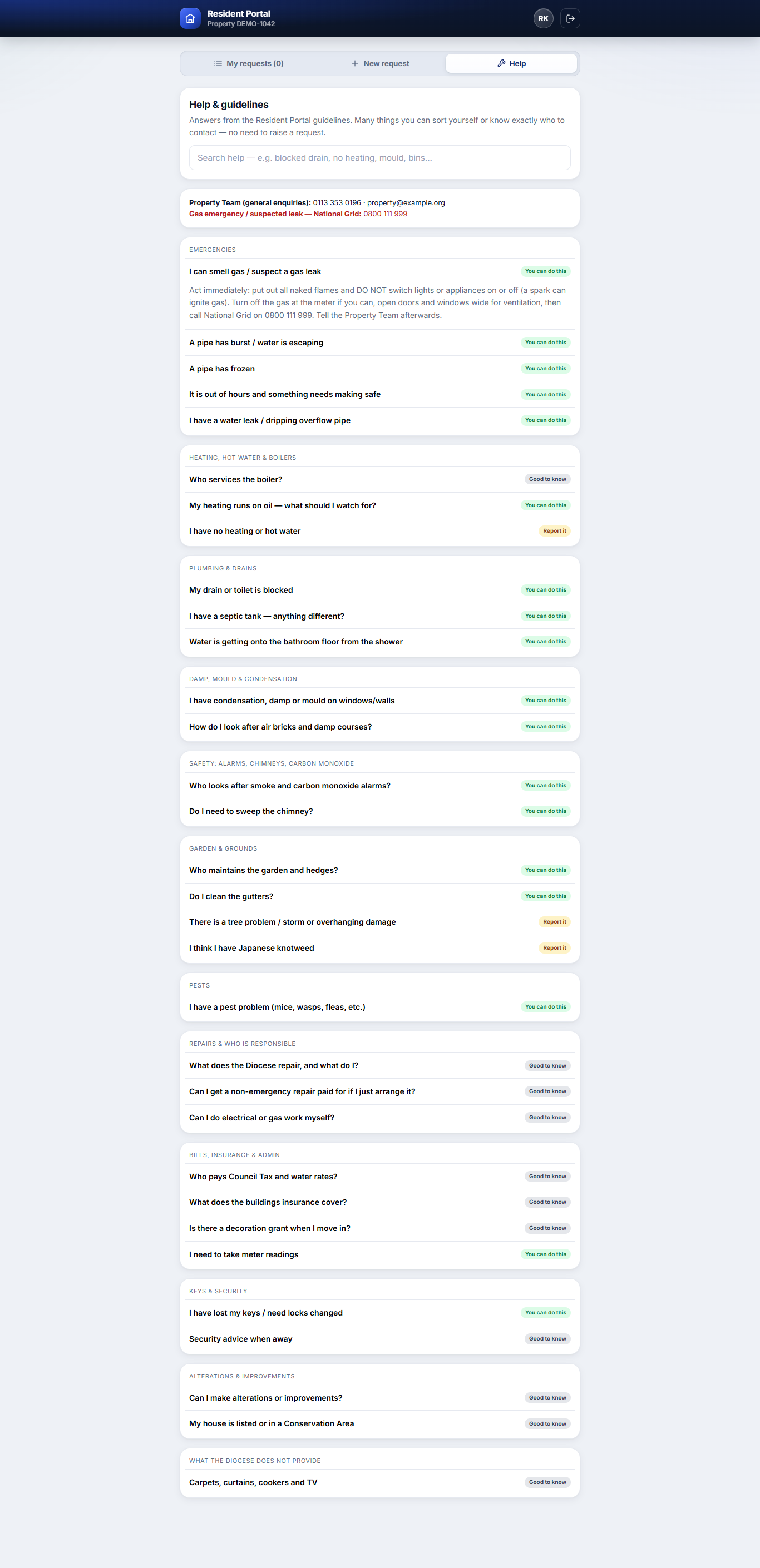
A branded resident app: report a repair with photos, flag emergencies and track status — plus a searchable help centre, built from your own guidelines, that resolves the avoidable issues before they become tickets.

Contractor on the job.

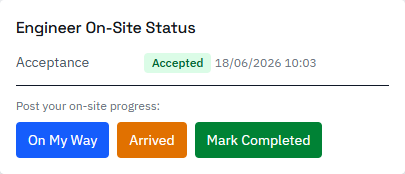
Engineers accept or decline, schedule, and post live on-site status — on my way, arrived, completed — from a phone. Certificates and invoices flow straight back to the office.

Automation & finance.

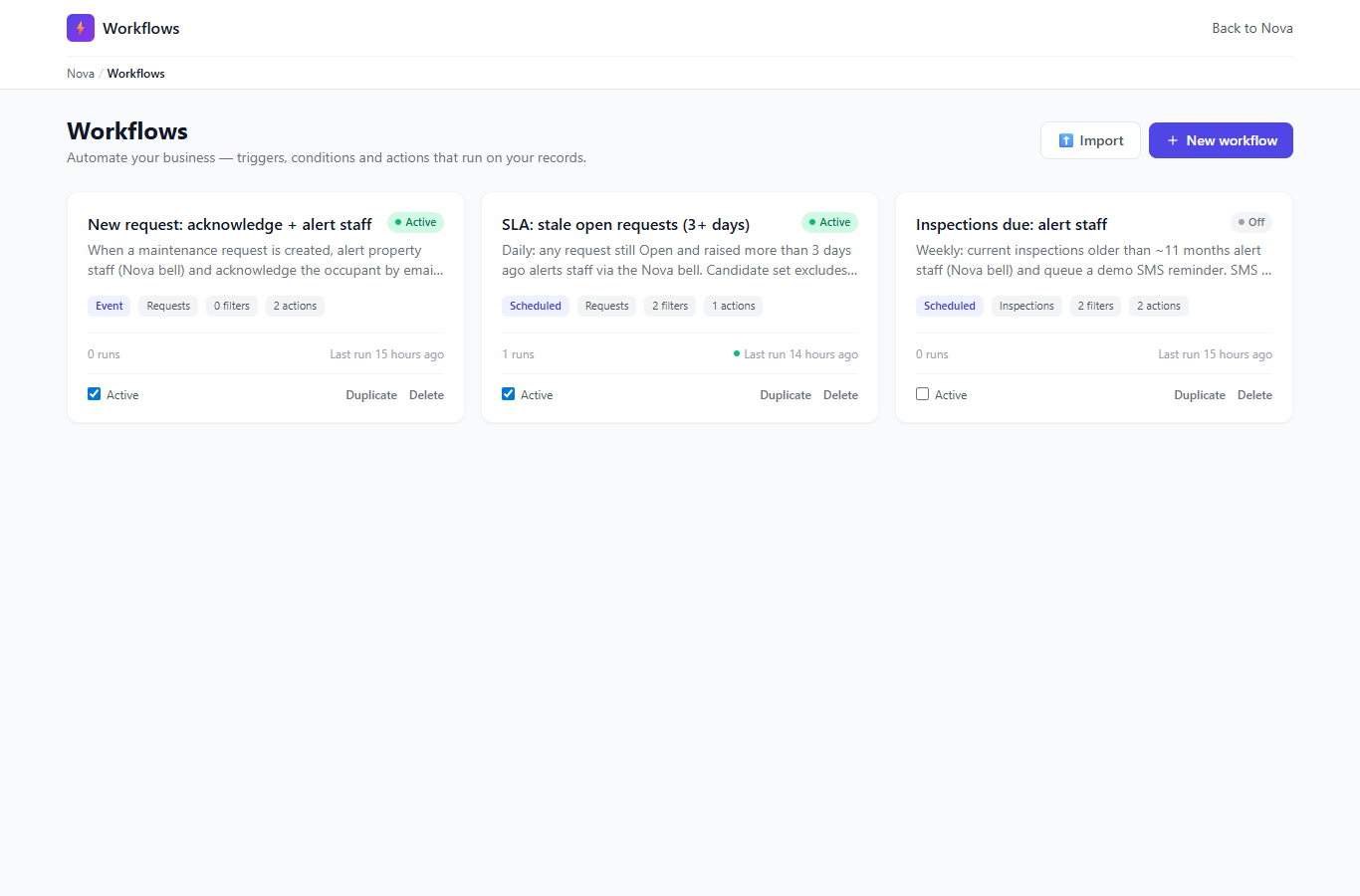
No-code workflows acknowledge requests, chase what’s slipping and raise planned-maintenance orders automatically. Purchase orders push to your finance system for approval and reconcile against budget.

How it connects

Four apps, one system.

Occupant, contractor and back-office apps all run on one shared database, with a live link to your finance system. A repair reported on a tenant’s phone is instantly visible to the office and the contractor — no re-keying, one source of truth. Tap a system below to see how it joins up.

LIVE Property platform One shared database live data across every app Occupant Portal Tenants report & self-serve Contractor Portal Engineers do the work Back office Manage, triage & approve Finance / ERP Approve & reconcile

Four apps plus your finance system, on one shared database. Tap a system to see what it sends and receives.

One connected platform

A repair flows from the tenant’s phone, through the office as an authorised purchase order, out to the contractor, and back as reconciled spend — all on one shared database. Tap a system to see its part.

Everything stays in sync — report once, seen everywhere.

What it looks like

Real screens, in production.

A handful of screens from a live housing portfolio. Mock data shown; the same layouts run against your real properties once you’re onboarded.

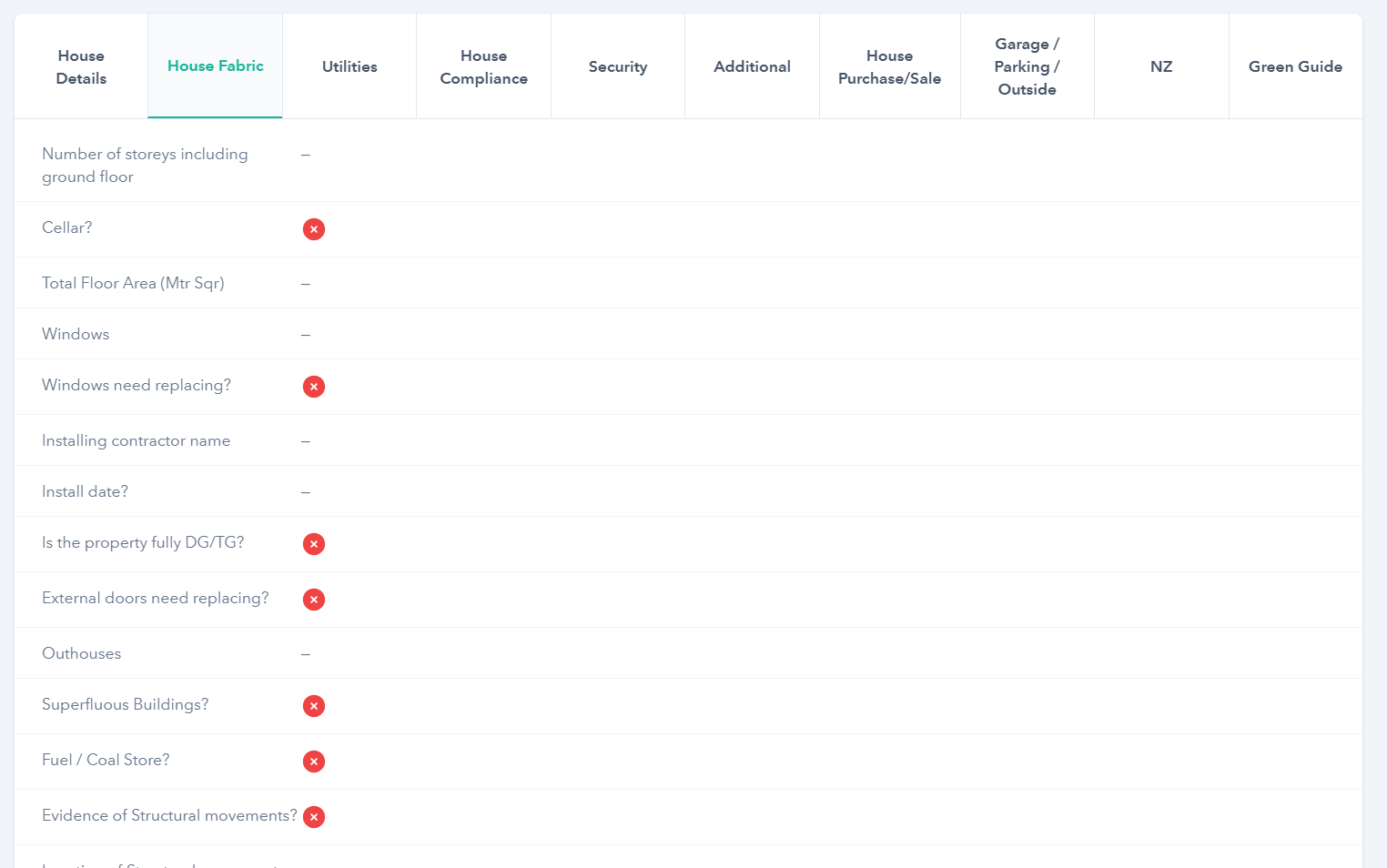
House record showing tabbed sections: details, fabric, utilities, compliance, security and outside spaces.
House fabric recordEvery detail of a property in one tabbed view, from windows and outhouses through to compliance state.
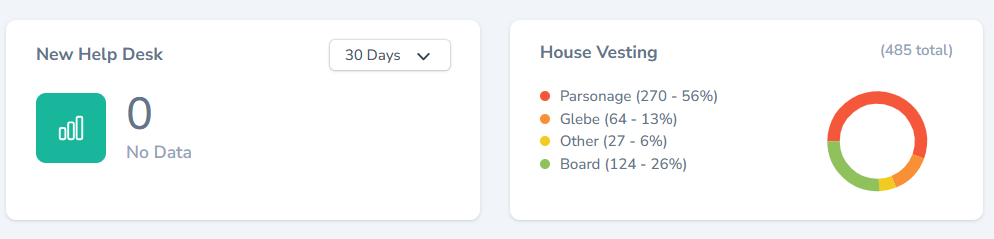
Property dashboard cards: New Help Desk activity and House Vesting breakdown by Parsonage, Glebe, Other and Board.
Portfolio dashboardHelpdesk activity and vesting mix at a glance, the moment you log in.
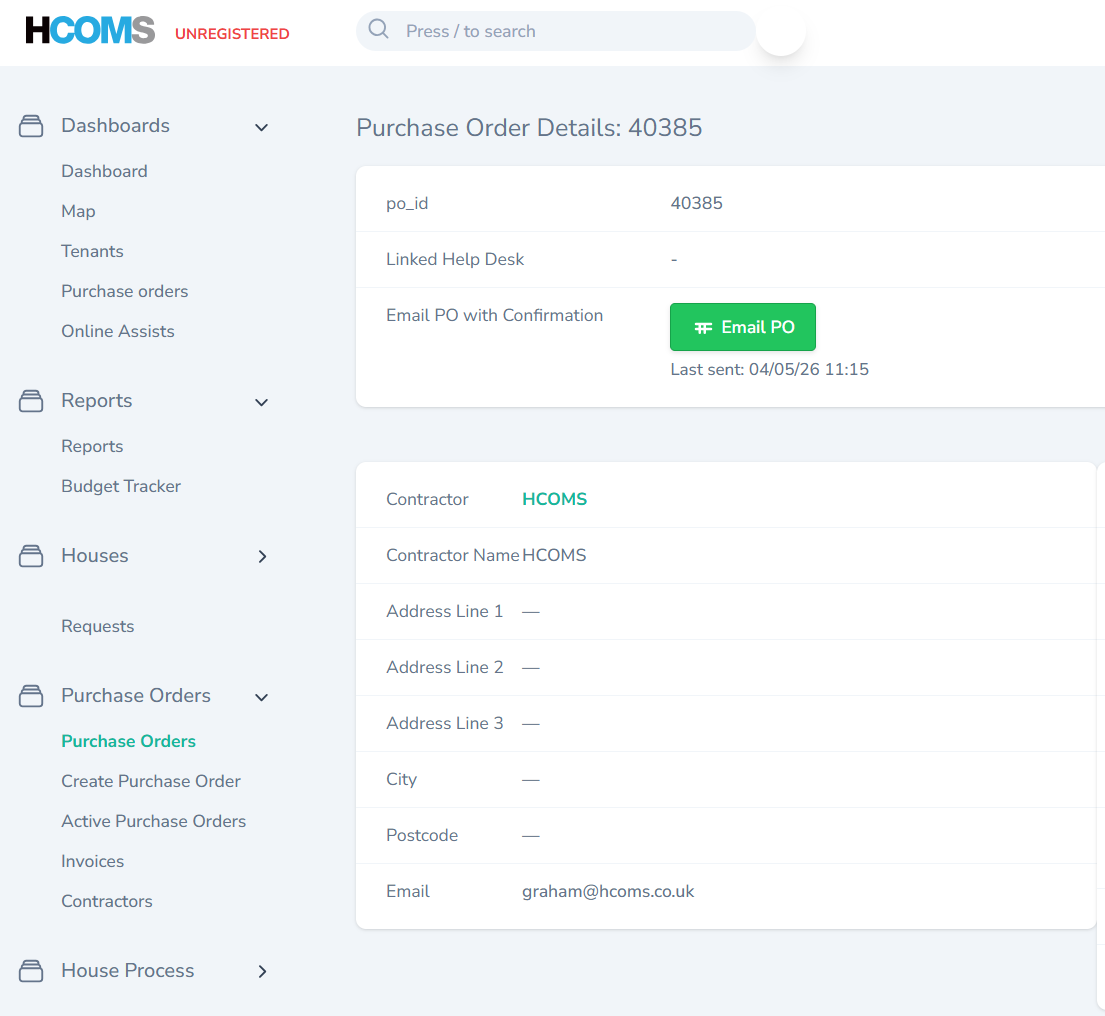
Purchase Order detail screen with contractor record and email PO confirmation button.
Purchase ordersRaise a PO, send it to the contractor, track the linked help-desk ticket through to invoice.
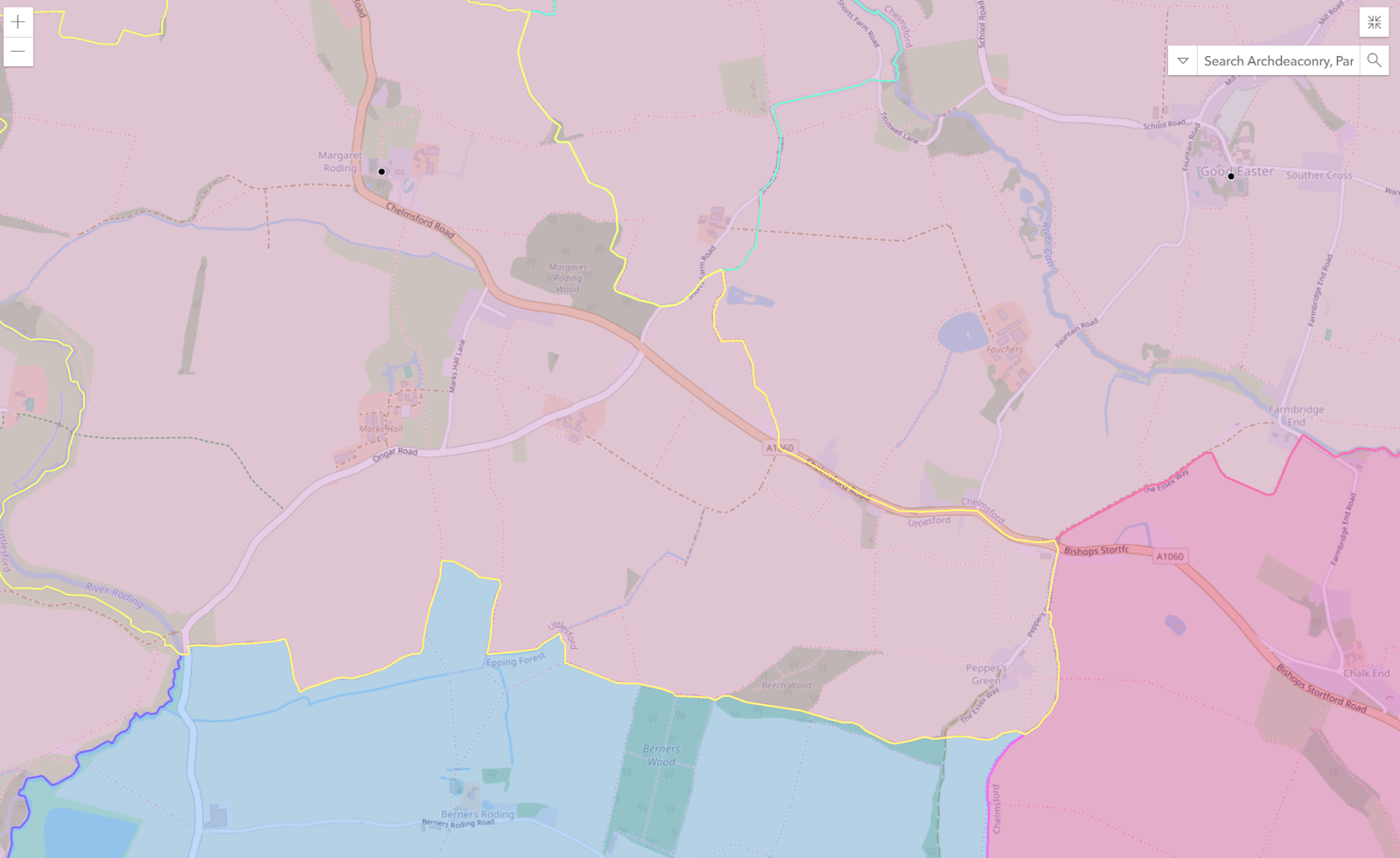
Geographic map of properties across a diocesan portfolio, with deanery boundaries shaded.
Portfolio mapEvery property plotted, with deanery boundaries and ArcGIS overlay support.
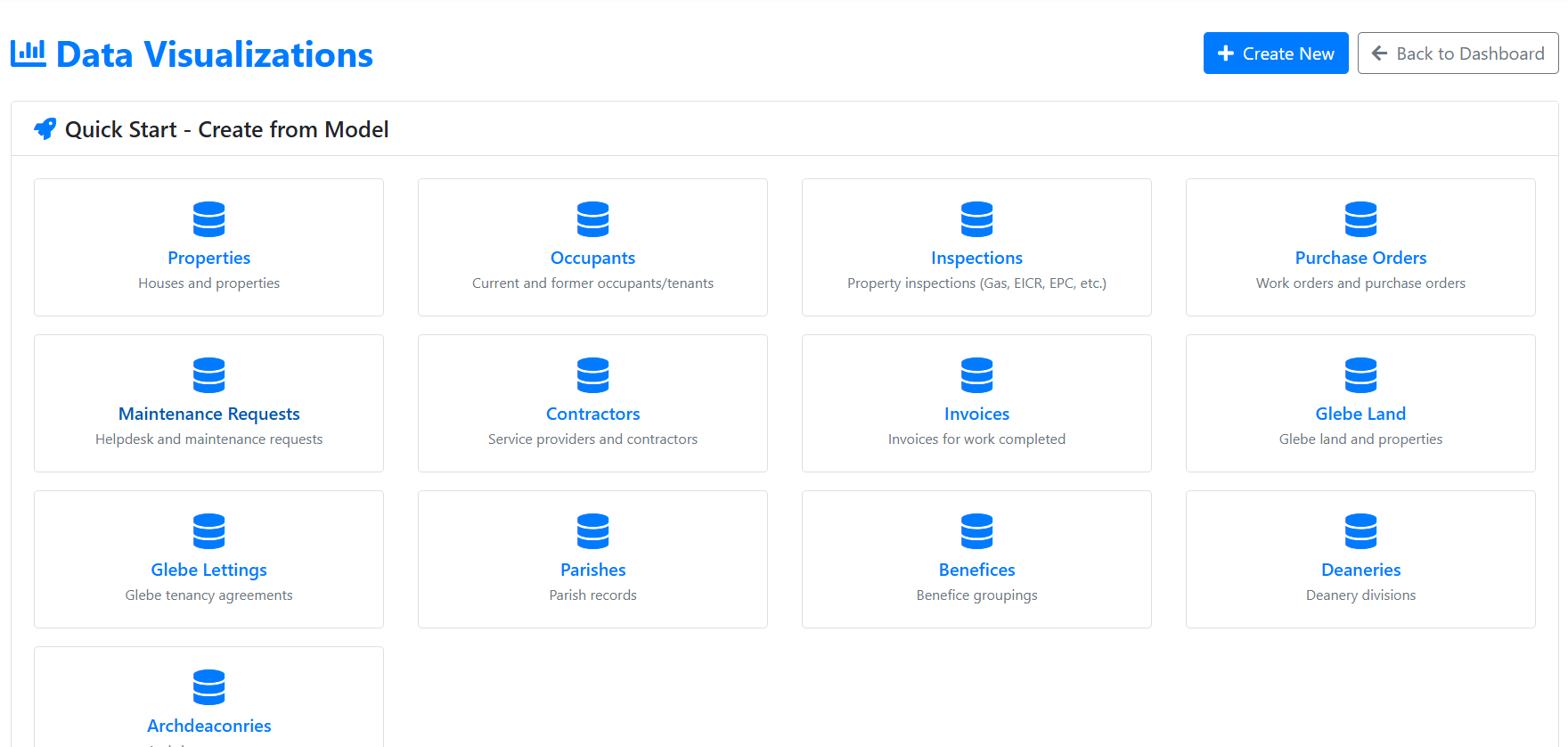
Data visualizations quick-start: Properties, Occupants, Inspections, Purchase Orders, Maintenance Requests, Contractors, Invoices and more.
Data visualisationsBuild a chart from any property entity in a few clicks, no SQL needed.
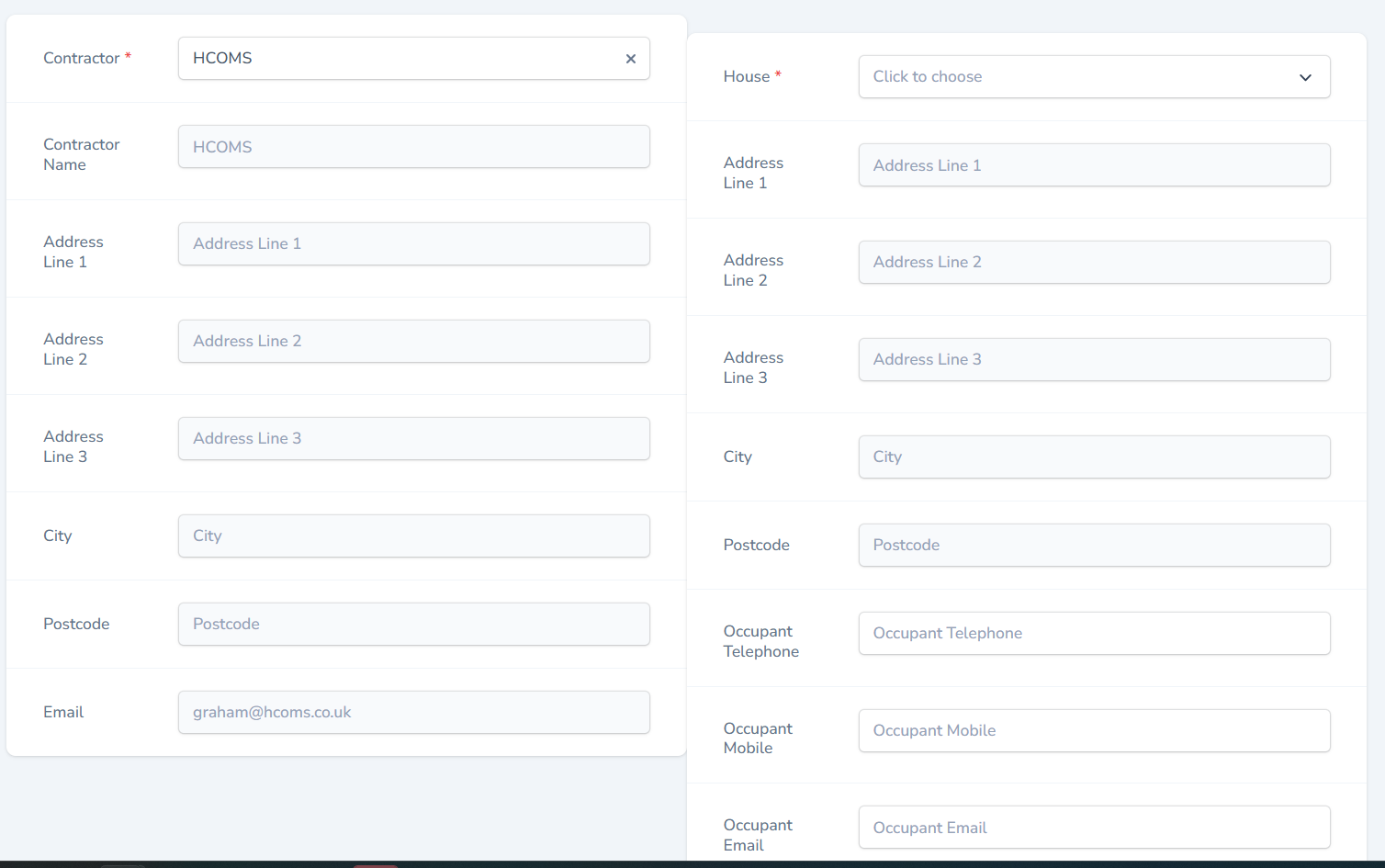
Contractor and house selection form for raising a new purchase order.
Contractor & house pickerPick a contractor, pick a house, the rest of the PO populates from the records.
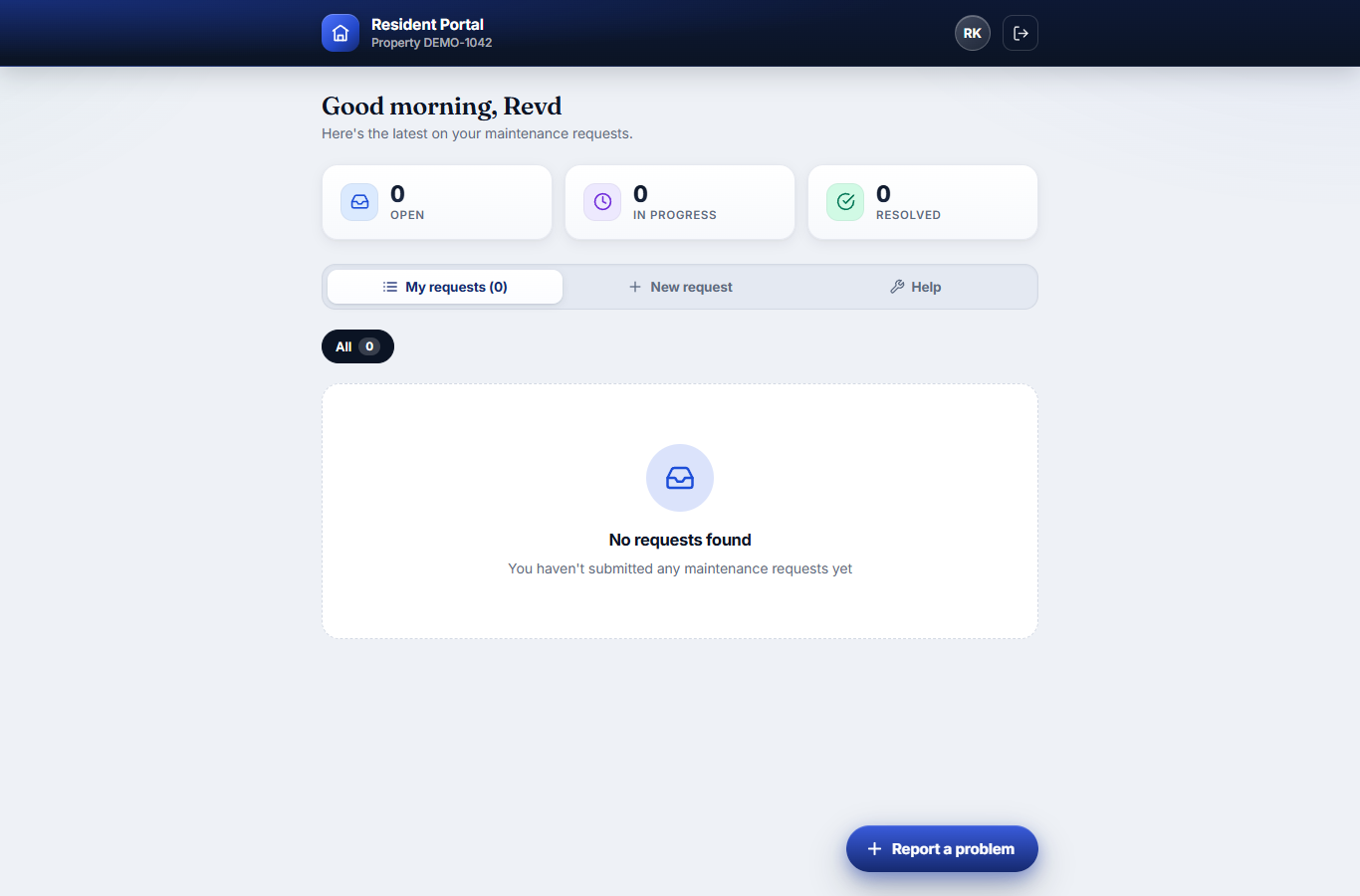
Resident portal dashboard showing open, in-progress and resolved maintenance requests on a phone-friendly layout.
Resident portalA white-label app where tenants report repairs and track them through to completion.
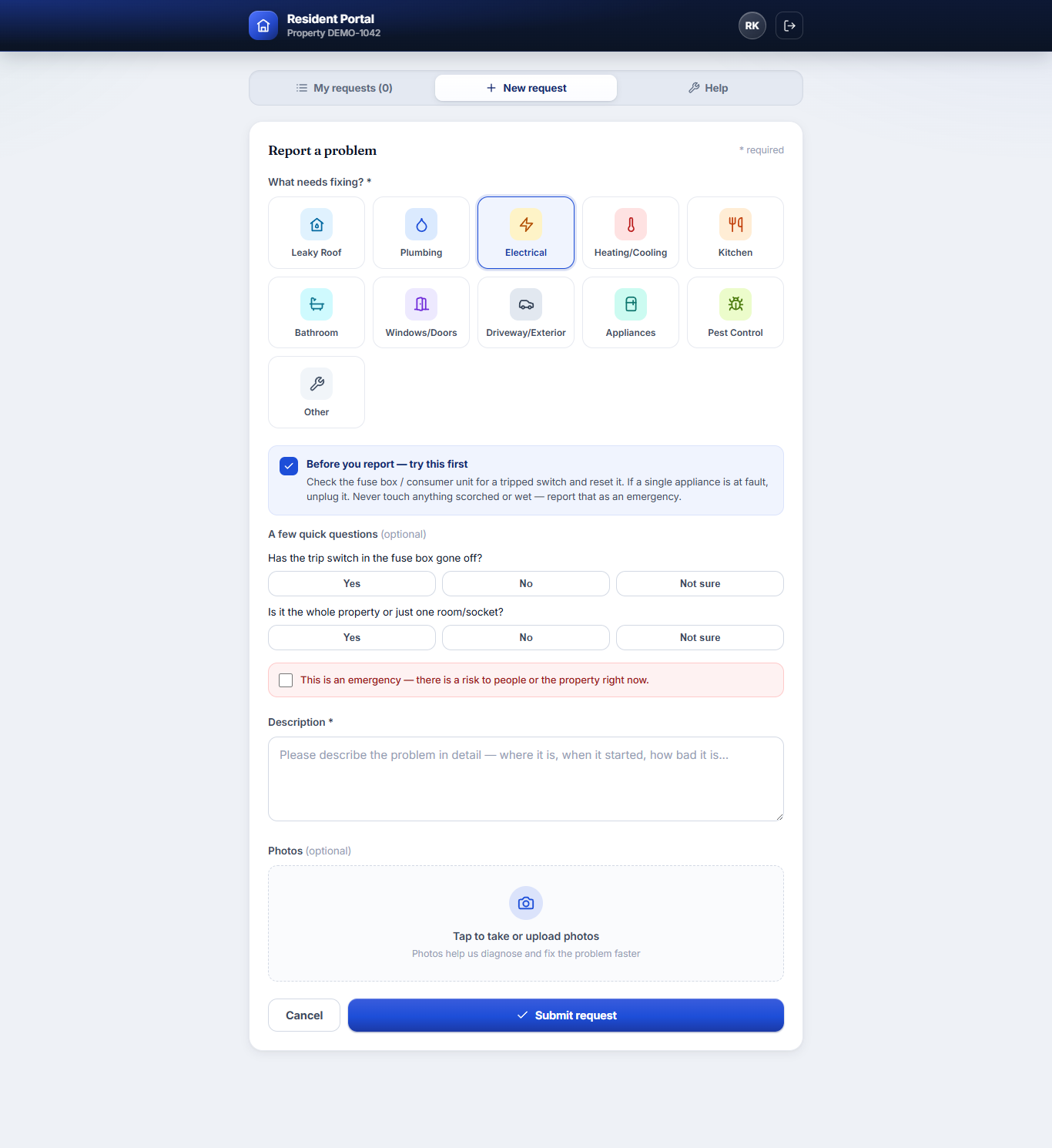
Report a problem form with category icons, guided self-help questions and an emergency flag.
Guided reportingPick a category, answer a couple of guided questions, add photos and flag emergencies — better tickets, first time.
Searchable self-help centre with categorised guidance badged you-can-do-this, report-it or good-to-know.
Self-service help centreSearchable guidance built from your own housing guidelines — deflecting the avoidable calls and tickets.
Contractor on-site status panel: job accepted, with on-my-way, arrived and mark-completed buttons.
Engineer on-site statusAccept the job and post live progress from the phone — straight back onto the tenant’s timeline.
Visual workflow automation builder listing rules for acknowledging requests, chasing stale tickets and planned maintenance.
Workflow automationHubSpot-style rules — acknowledge, chase, auto-raise planned maintenance — over any record, no code.
Further reading

Stay on top of compliance.

Guides and a free tool for keeping a property portfolio compliant — from the full cycle list to clergy-housing specifics.

Free tool: Parsonage & clergy housing compliance checklist → Property compliance: the complete guide → Eight property compliance cycles every UK landlord must track → Glebe and parsonage management →
From a property manager
"We used to print a compliance schedule in March and pin it to the wall. Now the platform tells me what's due before it's due. Two FTE worth of admin, gone."
— Property Manager · Housing portfolio · 2025
Next step

See it on your
portfolio.